Screenshots
Error messages, settings, chats, receipts. Find them by the words on screen.
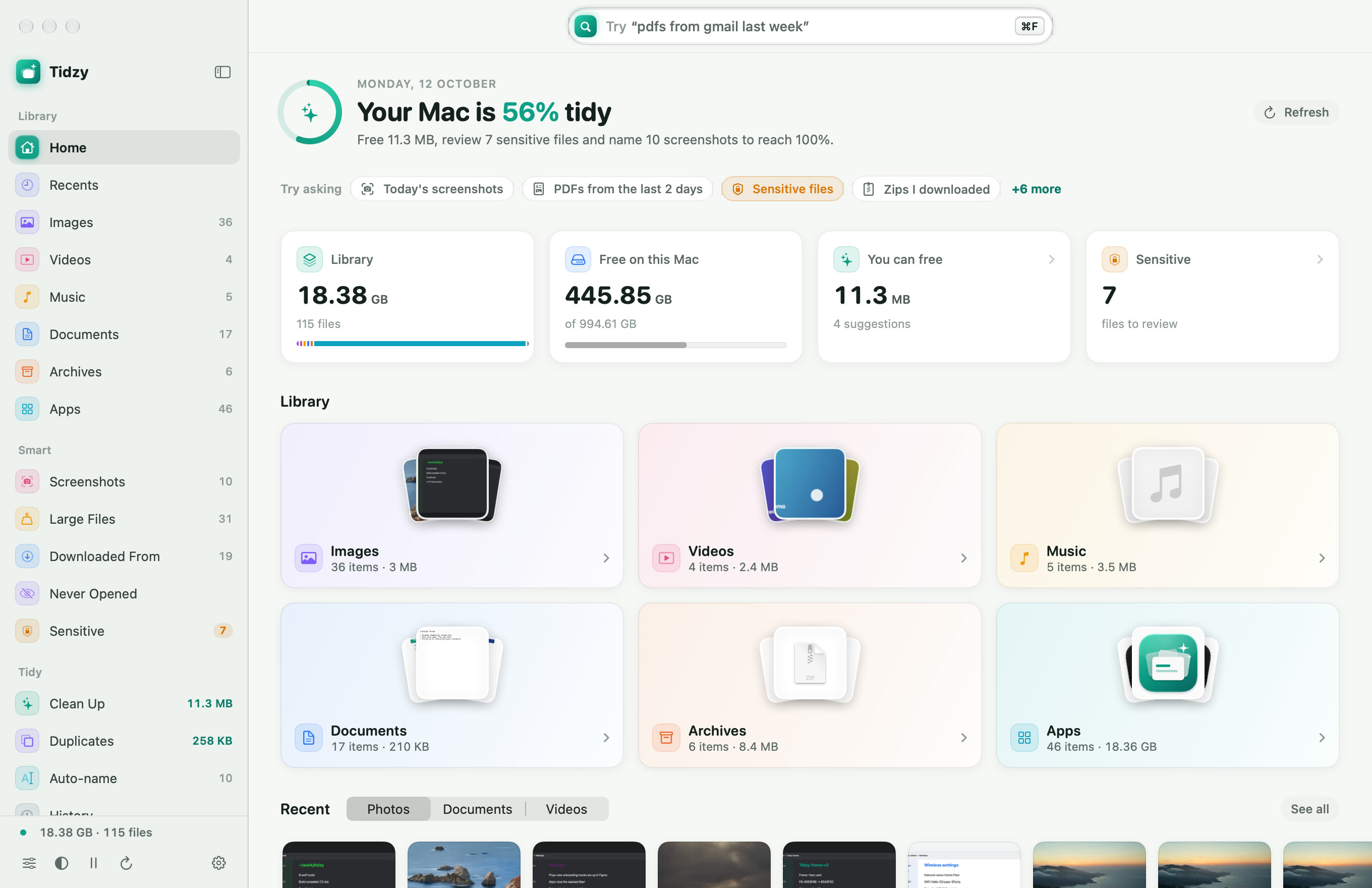
Find any file by just asking, even by the words inside a screenshot, photo or PDF. Copy text out of any image, free up space without fear, and undo anything with one click.
Knows where every download came from
No folders to remember, no filters to set. Type what you remember about a file and Tidzy reads names, words inside PDFs and screenshots, dates and where it came from.
Screenshots, photos of receipts and whiteboards, scanned PDFs. Tidzy reads the words in all of them, right on your Mac, so you can search by what a file says and copy any line in one click.
Error messages, settings, chats, receipts. Find them by the words on screen.
Receipts, whiteboards, menus, slides and signs you snapped on your phone.
PDFs are read automatically. Big scans get an Extract Text button.
Show Text (⌘T) lists every line Tidzy read, with your search words highlighted.
Finds passwords, private keys and ID scans hiding in Downloads and on your Desktop. Tidzy records only what kind of file it is, never the secret itself.
Screenshots get named from the words inside them. Approve each one, or let it happen as they land.
Old installers, forgotten downloads and duplicates, sorted by how much each frees.
One shortcut from any app. Type, hit Return, and you're there.
Type what you want done. Tidzy shows the plan before it touches anything.
Exact copies and near-identical photos, grouped together. Tidzy suggests which one to keep: the sharpest, from the right folder, with the cleanest name.
Every download remembers where it came from. Browse by Gmail, WhatsApp, Slack or any website.
Tidzy turns a messy Mac into a short to-do list. Clear it and watch your score climb.
Tidzy indexes, reads and names everything on-device using Apple's own frameworks. No account, no cloud, no upload.
Text recognition and naming run on your Mac with Apple Vision and Apple Intelligence.
Nothing to sign up for. Open the app and it starts working.
Files go to the Trash, never straight to deletion. History puts them back where they were.
The sensitive finder stores the kind of thing it found, never the number or password.
Desktop, Downloads and Documents to start. Add more whenever you like.
A quiet first pass sorts thousands of files in moments, then keeps up as new ones arrive.
Search in plain English, clear your to-do list, and get back to work.
One license, every feature, every update. No subscription and no account.

Secure checkout by Dodo Payments, our Merchant of Record. Prices in USD, taxes included.
Lost your license key? Find it here.
Never without asking. Everything Tidzy removes goes to the Trash, and every move, rename and clean-up is recorded in History so you can put it back exactly where it was.
No. Indexing, text recognition and naming all happen on your Mac. The only network calls are for activating your license and checking for updates, and Settings lists every one of them.
Yes. Tidzy reads the words in screenshots, photos (receipts, whiteboards, slides) and PDFs using Apple’s on-device text recognition, so you can search by what a file says. Open Show Text (⌘T) on any file to see every line it read and copy one line or all of it.
Any Mac on macOS 14 Sonoma or later, Apple silicon or Intel. Features that use Apple Intelligence turn on automatically on Macs that support it.
So it can see the same files you can, including Downloads and Desktop. Tidzy never touches system folders, app bundles or your Photos and Mail libraries.
Spotlight finds files when you know the name. Tidzy understands requests like “PDFs from Gmail last week”, knows where every download came from, reads text inside screenshots, and helps you clean up with an undo button.
Pay once and your license key arrives by email straight away. Paste it into Tidzy to unlock everything. Choose a license for 1, 2 or 3 Macs; to move it to a new Mac, deactivate the old one from Settings › License.
No trial, and no half-locked free version either. One low, one-time price gets you the whole app, with free updates.
Yes. Visitors from India see rupee prices automatically, and checkout charges in rupees too. Everyone else sees US dollars.
From $4.99, one time. Yours forever.
macOS 14 Sonoma or later · Apple silicon & Intel